Meal planning · Shopping lists
The kitchen remembers so you don't have to.
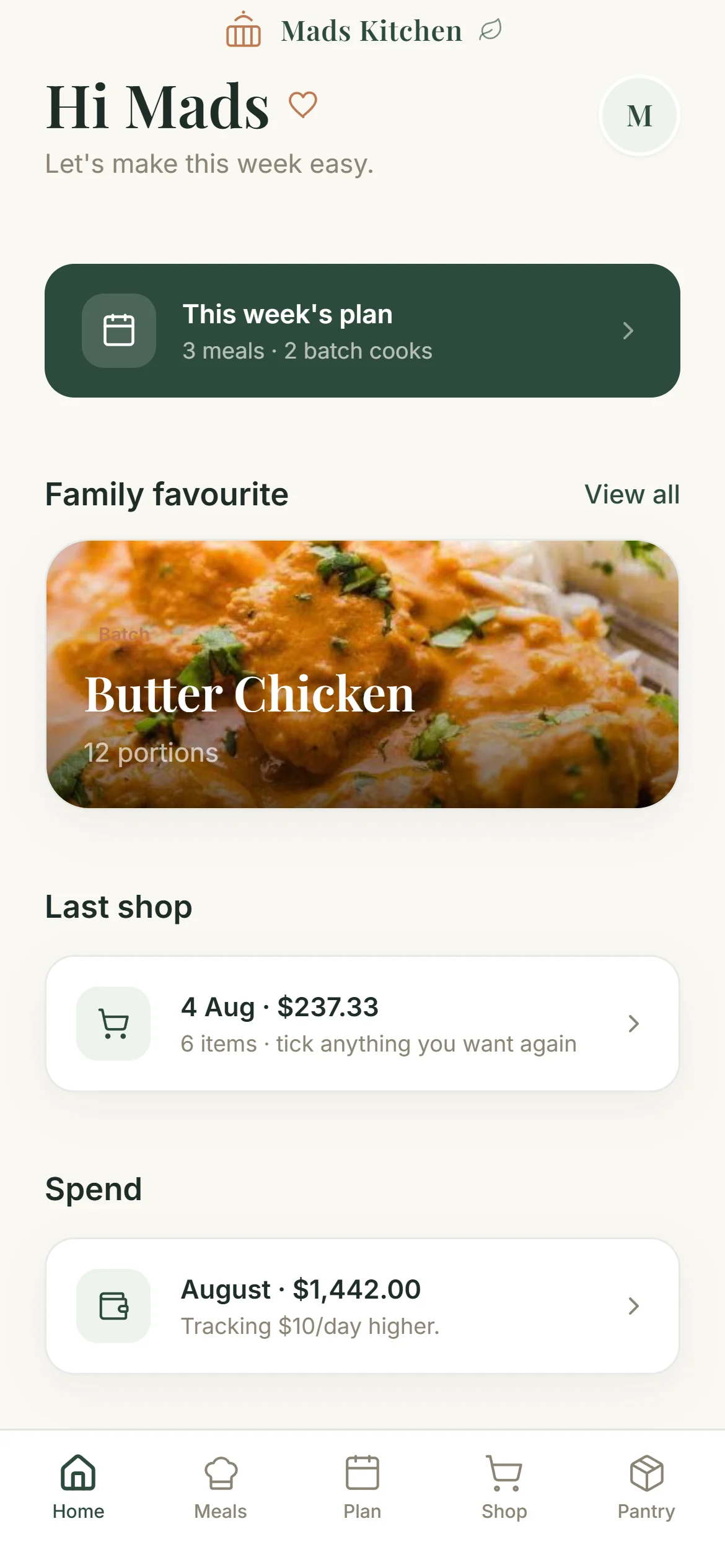
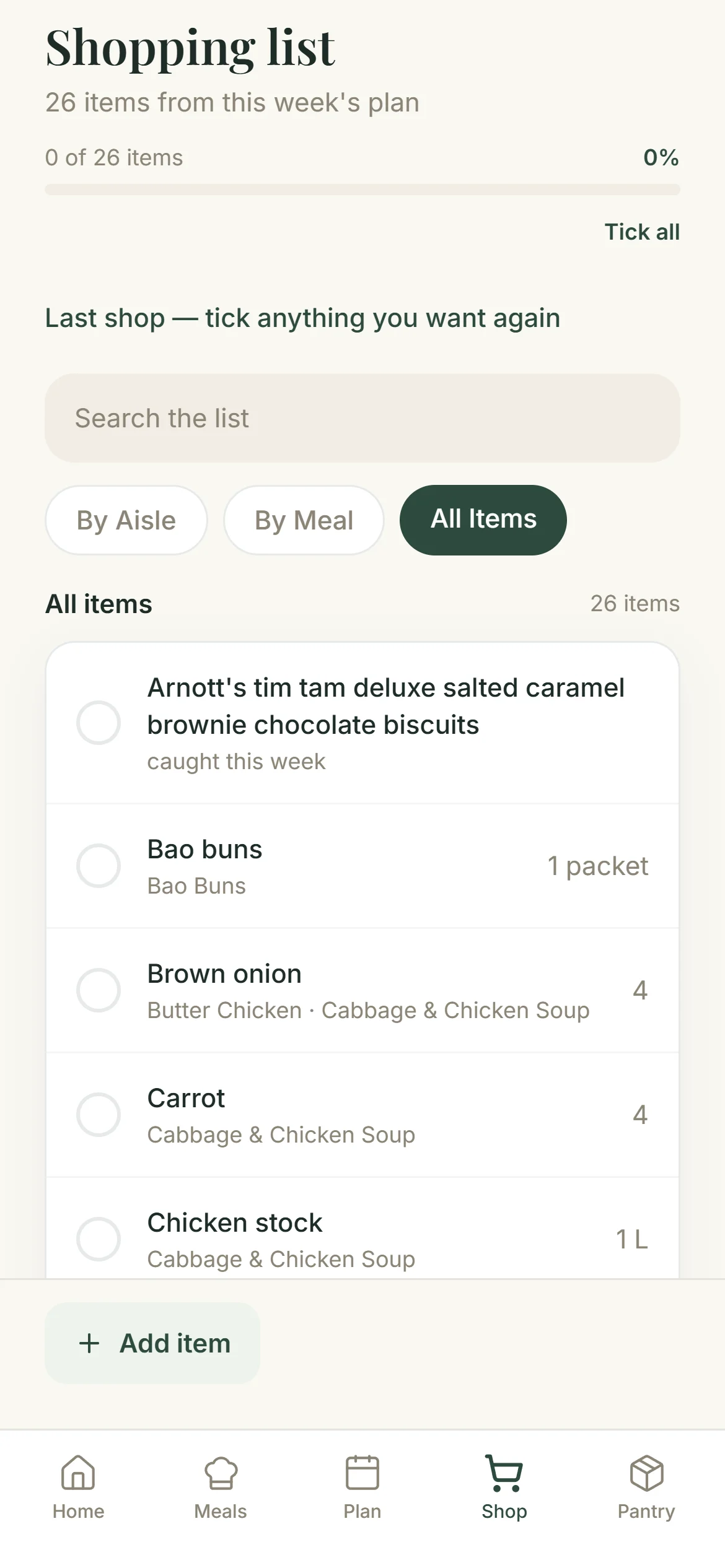
Plan the week once. Mads Kitchen turns it into a single shopping list, takes out what you already have, and hands the finished trolley to your supermarket.
Built for one household first. Made properly, then shared.
It stops at the supermarket door.
Mads Kitchen remembers meals. The supermarket remembers purchases. It does not rebuild checkout, payment, delivery or specials, because those already work and doing them again badly helps nobody.
The job is the ninety percent of the shop that happens before you open the trolley.
Your pantry
Walk the kitchen talking.
Say what is on the shelves as you go, paste it in, and it sorts itself into the same aisles your shopping list uses. Capturing the pantry is also how the app learns where things belong on the order.
It remembers what you keep
- Cumin pantry · spice
- Fish sauce pantry · condiment
- Puff pastry freezer · bakery
- Parmesan fridge · dairy
Not how much is left. A number like that is wrong by the next day and then you are keeping a spreadsheet instead of cooking. What you keep stays true until the household changes.
Where it goes
The receipts already know.
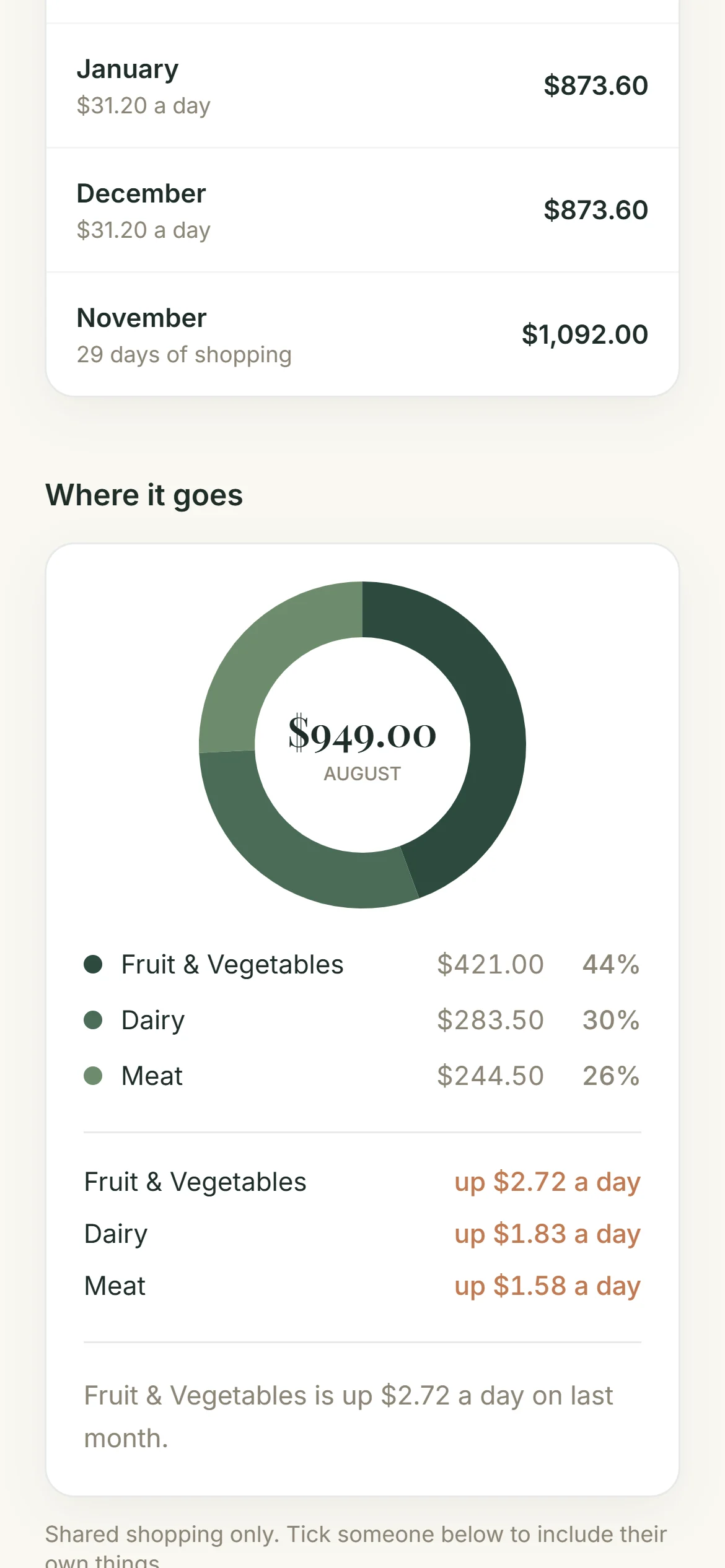
Paste in the shop and the month draws itself: what you spent, what it usually is, and which few things moved. No budget to set up and nothing to keep feeding. The numbers are the ones you were already being sent.
It says drinks are up $9.67 a day rather than that you are over budget. One is a fact you can act on; the other is a telling-off from a spreadsheet.
Four steps, once a week.
- 01
Plan the week
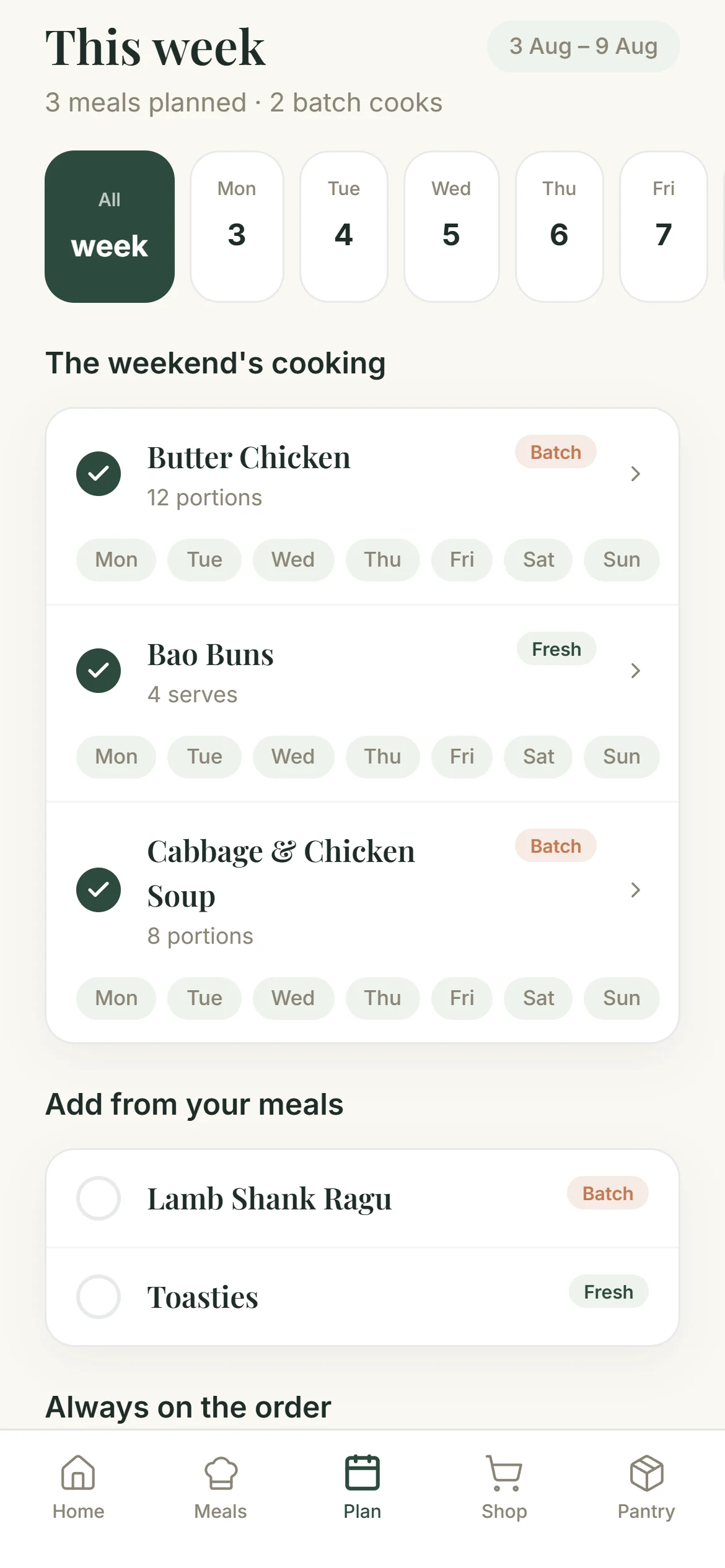
Pick the meals and the serves. Batch cooks count for the nights they cover, so a Sunday curry is not four separate decisions.
- 02
Get the list
Every meal becomes one list, combined and sorted by aisle, with the staples you always buy already on it.
- 03
Send it to the shop
The finished trolley lands in the app you already shop with. Checkout, delivery and specials stay exactly where they are.
- 04
Cook what is left
Midweek, it looks at what you still have and suggests something that uses it up.
Want it for your kitchen?
It is in use in one household and not on the app stores yet. Leave your name and I will tell you when it opens up.
Ask for early access